
Perplexity AI Copywriting and Design Suggestions for Websites
PERPLEXITY IMPLEMENTATION Solution
A Perplexity AI Copywriting & Design Suggestions website integration gives a website the ability to act less like a static publishing tool and more like a working creative assistant. Instead of treating copy and design as separate tasks handled in disconnected tabs, the integration lets your platform analyse a page goal, read the existing content, inspect competitor or market context when needed, and return structured recommendations for both message and layout. That means the system can suggest a stronger headline, a clearer call to action, a more persuasive section order, and even a better visual emphasis strategy in one connected flow. In practice, this feels a bit like turning your CMS into a room where a copywriter and a UX strategist are always present, always available, and always ready to give a first draft. That is why this type of integration is becoming more attractive for agencies, SaaS teams, ecommerce businesses, and internal marketing departments that need to move quickly without making every page feel rushed or generic.
The most useful thing about this setup is not raw text generation by itself. Plenty of tools can produce paragraphs, slogans, and button labels. The real value appears when the system understands the job of the page. A homepage hero section needs something different from a donation page, and a pricing page needs something different from a case study template. Design suggestions are part of that same equation, because the strongest words can still fail when the layout is cluttered, the visual hierarchy is weak, or the CTA gets buried like a treasure chest under too much sand. When Perplexity is integrated properly, it can be used to generate or refine copy direction, content structure, offer framing, section-level messaging, and design guidance such as where to place trust signals, how to improve scannability, or when to shorten a block to avoid overwhelming the reader.
This matters even more now because the pressure on teams is not merely to create content faster. It is to create better content at speed without drowning in endless revisions. Canva ’ s 2025 State of Marketing & AI report says 94% of surveyed leaders had allocated AI budgets in 2024, 75% expected to increase investment, and 61% said they struggled to integrate AI into existing workflows. That tells a very clear story. The problem is no longer whether AI can help. The problem is whether it can be embedded in a way that actually works inside the daily machinery of content production. A Perplexity integration solves part of that by moving suggestions directly into the website workflow instead of forcing teams to hop between random tools, pasted prompts, and disconnected notes. When the system lives where the work already happens, adoption becomes far more natural.
Copy suggestions and design suggestions are stronger together
Most websites fail in small, familiar ways. The headline is vague, the copy rambles, the page looks busy, the CTA is weak, and the eye does not know where to land first. These issues are usually connected, yet teams often solve them one at a time as if they were separate leaks in a pipe. A copywriter edits the words. A designer tweaks the spacing. A marketer changes the button text. A developer moves a block higher up the page. The result can improve, but the page still lacks a shared logic. When copy and design suggestions are generated together, that logic becomes much easier to maintain. A stronger headline can be paired with a recommendation to reduce visual clutter around the hero. A more benefit-driven service section can be paired with advice to introduce icons, shorten line lengths, or reposition a testimonial strip nearby.
That relationship between message and layout is where this integration becomes more than a writing toy. A website visitor does not experience a page as separate layers of “ text ” and “ design.” They experience a single impression, like walking into a room and instantly sensing whether it feels clear, inviting, and trustworthy. If the words promise confidence but the layout feels chaotic, the message weakens. If the design looks polished but the text sounds generic, the polish feels hollow. A Perplexity-powered system can be prompted to critique both together. It can assess whether the visual structure supports the content goal, whether the content hierarchy matches the purchase journey, and whether the page communicates value fast enough for modern browsing habits. That combination is what makes the integration commercially useful rather than merely entertaining.
Why Perplexity is a practical fit for websites
Perplexity is especially practical for this kind of integration because its API ecosystem supports several patterns that match real website workflows. The official quickstart says the platform provides Agent API, Search API, Sonar, and Embeddings, giving teams options for web-grounded generation, raw ranked search results, and semantic retrieval depending on the use case. That flexibility matters. Some websites want grounded copy suggestions based on current search results or trusted sources. Others want structured design recommendations from a predefined internal knowledge base. Others need reusable semantic search over templates, brand rules, or saved page examples. A platform that gives multiple lanes for those jobs is far easier to integrate cleanly than one that only offers a single generic text endpoint.
Another reason Perplexity fits well is that it supports structured outputs with JSON Schema, which makes it easier to turn creative suggestions into machine-usable data. That is a bigger deal than it sounds. Creative work often becomes messy when an AI returns beautiful but unpredictable prose. A human may enjoy reading it, but a CMS cannot reliably slot it into a hero title, section summary, CTA label, visual priority score, or recommendation card without extra parsing. Structured outputs solve that by letting the API return predictable fields such as headline _ options, cta _ variants, tone _ notes, layout _ recommendations, trust _ elements, and ab _ test _ ideas. That means your website can do something immediately useful with the response instead of leaving a staff member to manually untangle it. It is like the difference between receiving a bag of ingredients and receiving labelled containers ready for the kitchen line.
Perplexity ’ s current documentation also highlights search controls such as domain filters, language filters, and date filters, which are helpful when you want grounded recommendations from a narrow set of sources. That makes it possible to build suggestion tools that feel more disciplined. An enterprise team might want copy help grounded only in approved documentation domains. A marketing team may want current messaging cues from recent market content. A multilingual business might want outputs aligned with a specific language context. These controls are important because copy and design suggestions become much more trustworthy when you can constrain where the information comes from and how fresh it is. Otherwise, the model can feel like an enthusiastic intern with a thousand ideas and no filing system.
Where This Integration Creates Business Value
This integration earns its keep when it is tied to a real page-building workflow rather than treated as a novelty sidebar. The clearest value often appears in landing pages, service pages, product pages, lead-generation funnels, and campaign microsites because those pages live under pressure. They need to launch quickly, adapt to testing, and convert visitors who are not particularly patient. A Perplexity-driven assistant can suggest sharper benefit framing, better section order, shorter proof-heavy blocks, or alternate CTA language that better matches user intent. It can also give visual suggestions such as placing trust elements above the fold, simplifying card layouts, or separating features from outcomes so the page reads more cleanly. This is the kind of help teams usually want at exactly the moment they are too busy to stop and think deeply.
The value is just as strong in ecommerce and content marketing. Product teams constantly need new promotional copy, merchandising descriptions, category intros, and campaign assets that align with a brand tone while staying commercially effective. A well-built integration can suggest collection page intros, promotional banner text, email sign-up block copy, and design adjustments for product grid emphasis. It can also critique whether a page is too text-heavy, whether promotional hierarchy is broken, or whether a callout banner deserves more breathing room. For content marketing teams, the same engine can recommend blog intros, content upgrade blocks, article-side CTAs, and related visual treatments that match the narrative. Instead of relying on a blank page and a designer ’ s memory, the team gets a practical starting point every time.
There is also a strong internal value for agencies and website builders. If you manage many client websites, you know how much time disappears into repetitive creative work that still requires taste and judgement. Every client needs headlines, page structures, hero messaging, design nudges, and conversion ideas, but not every client can fund a week of deep strategy for every single page revision. A Perplexity integration gives your CMS or admin interface an intelligent drafting layer. It can propose first-pass copy, flag weak visual hierarchy, suggest a different section order, and even generate multiple stylistic directions based on brand attributes. That does not remove the need for real expertise. It removes the dead time between “ we know this page needs work ” and “ we finally have something solid enough to review.”
Landing pages, service pages, and conversion funnels
Landing pages are where this integration often shows its sharpest teeth because the stakes are obvious. A landing page has one primary job, and every unnecessary sentence or misplaced visual element gets in the way like furniture in a narrow hallway. Perplexity can be used to analyse the page goal, audience, offer, and current draft, then return a set of recommendations that improve focus. That may include a stronger hero promise, a simpler subheading, a more emotionally resonant CTA, or a better section order that introduces the problem before the solution. On the design side, it can suggest clearer spacing, fewer competing focal points, a stronger testimonial position, or more visual separation between benefits and technical details. The point is not to create a finished masterpiece in one click. The point is to reduce the number of bad first drafts that teams otherwise have to wrestle into shape.
Funnels benefit in a similar way because they depend on continuity. If the ad promise, landing-page message, and signup-step layout feel disconnected, conversion usually suffers. A good integration can help maintain narrative consistency from top to bottom. It can suggest copy variants tailored to awareness stage, recommend different headline patterns for colder versus warmer traffic, and flag where the page asks for trust before providing enough proof. Design recommendations then support that same flow by controlling emphasis, density, and pacing. A funnel is really a guided conversation, and this system helps keep the conversation coherent rather than scattered.
Ecommerce, campaigns, and content marketing workflows
Ecommerce teams live in a world of velocity. Promotions change, seasonal collections appear, product narratives shift, and page assets need refreshing faster than most teams can comfortably handle. That environment is perfect for a copy-and-design suggestion engine because it reduces friction in the most repetitive parts of the work. The system can suggest product collection intros, sale-page headlines, urgency language, merchandising microcopy, and section-level messaging for category pages. It can also propose design adjustments such as emphasizing specific product badges, simplifying promotional ribbons, or moving social proof closer to the first buying decision. These are not abstract ideas. They are the small, practical improvements that can save a merchandiser or marketer hours every week.
Campaign workflows also gain from this setup because a campaign rarely consists of one isolated page. It is usually a family of assets that need to sound related and look related across different surfaces. A Perplexity integration can help keep that family resemblance intact. Feed it the campaign theme, target persona, offer details, and brand voice, and it can suggest multiple headline routes, supporting copy blocks, and visual guidance for how to stage the content on different page types. It can even recommend when the same message should be condensed versus expanded. That kind of continuity is difficult to maintain manually at speed, which is why teams often end up with campaigns that feel like cousins instead of siblings.
Internal CMS tools and client-facing website builders
Inside a CMS, this integration becomes a productivity layer. Editors can click a button to improve a draft section, generate alternate CTAs, or get design notes for a cluttered block. Marketing teams can request variants for a hero panel or ask for a more premium, more direct, or more conversational direction without leaving the page builder. Agencies can create a controlled assistant that follows client tone rules, service priorities, and layout patterns. Because structured outputs are available, the response can be shaped into fields the CMS already understands, which makes the experience feel native rather than bolted on. That matters a great deal. When AI suggestions feel like part of the editor, people use them. When they feel like an awkward side trip to another tool, people quietly abandon them.
Client-facing website builders can also use the same pattern to help non-technical users. Many small businesses know what they want to sell but struggle to express it clearly on a page. A guided Perplexity assistant can ask for the business type, audience, tone, offer, and visual preference, then produce a draft hero section, benefits block, FAQ copy, and design recommendations for layout emphasis. That lowers the intimidation factor of page building without forcing users into generic templates. It is the difference between giving someone a blank canvas and giving them a lightly sketched outline that still leaves room for personality.
Core Architecture of the Integration
A clean implementation usually has three layers: input collection, backend orchestration, and delivery back into the website workflow. The front end captures the page goal, audience, current draft content, optional brand rules, and any design context such as page type or visual style preference. The backend then decides which Perplexity capability to use. If the request needs grounded research, it might call Sonar or Agent API with search enabled. If it needs raw current search results, it might use Search API first and pass findings into a second generation step. If it needs reusable internal memory, embeddings can support semantic retrieval over style guides, saved templates, and historic top-performing examples. The output is then normalized, validated, stored, and sent back to the editor or website builder in a format that is immediately usable.
The reason this architecture works is that it separates creative generation from business logic. The model can be imaginative where appropriate, but the platform remains strict about what it accepts, how it stores it, and where it displays it. That is critical for reliability. A live content workflow should not depend on the AI always “ just knowing ” what format you wanted. It should specify the format, review the result, and decide how far the suggestion is allowed to travel. That keeps the workflow safe without killing its usefulness. Think of it as building guardrails on a scenic mountain road. You still get the view, but you are less likely to drive off the edge.
Front-end input collection and user intent
Good outputs begin with better inputs. The front end should ask the right questions, not just provide an empty text box and hope the user writes a brilliant prompt. A high-quality interface usually collects the page goal, target audience, brand tone, offer details, existing copy, and desired outcome such as “ increase lead quality,” “ make this feel more premium,” or “ shorten and clarify this section.” For design suggestions, you can also capture page type, visual density preference, existing modules, and whether the user wants a conversion-first or editorial-first structure. This is not bureaucracy. It is context. And context is what stops AI suggestions from feeling like fortune-cookie advice dressed in professional language.
The interface should also make the workflow legible. Users should know whether they are generating copy, critiquing design, or doing both. They should be able to request multiple variants, compare outputs side by side, and apply only selected parts rather than replacing an entire page in one blunt move. This makes adoption easier because it respects the editor ’ s control. Creative professionals do not usually resist AI because they hate speed. They resist it because they hate losing judgement. A well-designed interface avoids that tension by behaving like an assistant that suggests, not a bulldozer that overwrites.
Backend orchestration with structured outputs
The backend is where this integration becomes dependable. Perplexity ’ s documentation says structured outputs are supported with JSON Schema, and that opens the door to very predictable content handling. You can ask for fields like headline _ variants, section _ rewrite, cta _ options, design _ notes, hierarchy _ issues, trust _ signal _ suggestions, and test _ ideas. The server then validates the response before anything reaches the UI. That means the system does not just return “ some advice.” It returns labelled content pieces that match your publishing workflow. This is particularly useful for modular CMS builds where each suggestion needs to map cleanly to a page block.
This same layer can also control search behavior. Perplexity ’ s docs state that Search API and Sonar support filters by domain, language, and date, while the Agent API supports domain filtering as well. That gives your backend much finer control over grounded suggestions. A legal website can limit research sources. A multilingual site can specify language. A campaign team can prioritize recent material. These controls are the difference between a system that feels generically clever and one that feels professionally disciplined. In production, that difference matters more than model theatrics.
Storage, review layers, and reusable design intelligence
Once the output comes back, store more than just the final text. Save the prompt type, page context, selected variant, review status, and performance data if available. Over time, this creates an internal library of what kinds of copy and design suggestions actually work for your business. You can search past outputs, reuse structures, compare winning headlines, and build smarter future prompts. That is where the integration starts to compound value. Instead of treating every request like a brand-new brainstorm, your platform builds a memory of the patterns your team prefers and the outputs that lead to better results.
A review layer is equally important. Even when the AI output is strong, teams usually want approval workflows before content goes live. That can be lightweight, such as “ draft,” “ reviewed,” and “ published,” or more detailed with brand, legal, and design checks depending on the business. The point is to preserve accountability. AI-generated suggestions should speed up creative work, not blur responsibility for final decisions. When this layer is built well, the system feels mature and safe rather than reckless.
Step-by-Step Integration Process
Step 1: Define the Requirements
Understand Business Needs: Generate marketing copy informed by real-time trends, current competitor messaging, and live audience insights.
Data Sources: Brand guidelines, campaign objectives, current market trends, live competitor messaging, recent audience research.
Prediction Model: Perplexity Sonar API for copy generation grounded in real-time trend and competitive intelligence with citations.
User Interaction: Marketers input briefs ; Perplexity generates copy enriched with current trend context and cited competitive insights.
Step 2: Choose the Tech Stack
Backend: Choose the appropriate server-side language and framework. Examples: Python ( FastAPI, Flask ), Node. js ( Express ).
Frontend: Choose a web framework or library for the user interface. Examples: React, Next. js, Vue. js.
Database: Use databases to store data if required. Examples: PostgreSQL, MongoDB, Redis for caching.
AI / ML Layer: Perplexity Sonar API ( sonar or sonar-pro for standard queries ; sonar-reasoning-pro for complex multi-step analysis ) as the core AI layer. Supplement with domain-specific ML libraries as needed.
Step 3: Develop or Integrate Perplexity AI
API Integration: Sign up at perplexity. ai to obtain your Perplexity API key. Perplexity' s API is OpenAI-compatible, so install: pip install openai ( Python ) or npm install openai ( Node. js ) and point the base URL to https:// api. perplexity. ai.
Perplexity Implementation: Send brand guidelines and campaign goals to Perplexity Sonar API for copy generation ; Sonar enriches creative output with current market trends, recent competitor campaign analysis, and live audience sentiment data retrieved from the web. Perplexity cites the trend sources and competitive references informing creative recommendations.
Model Selection: Choose the right Perplexity model — sonar for fast, cost-efficient queries with real-time search ; sonar-pro for deeper research tasks ; sonar-reasoning-pro for complex multi-step analysis requiring chain-of-thought reasoning. All Sonar models include real-time web search and automatic citation generation.
Step 4: Build the Backend
Set up API Endpoint: Set up an API endpoint that accepts data inputs, constructs Perplexity queries, and returns real-time search-grounded responses with citations to the frontend.
Secure the API Key: Store the Perplexity API key in environment variables or a secrets manager — never hardcode it in source code.
Step 5: Design the Frontend
User Interface ( UI ): Create an intuitive interface for user data entry. Display Perplexity' s responses with citation links rendered as clickable source references — this is a key UX differentiator of Perplexity integrations. Add streaming support to progressively render responses as they arrive.
Step 6: Integrate Backend and Frontend
CORS Setup: Configure CORS on your backend so the frontend can send API requests correctly across origins.
Deployment: Deploy the backend ( e. g., AWS, Google Cloud Run, Railway, or Heroku ) and the frontend ( e. g., Vercel, Netlify, or AWS Amplify ).
Step 7: Implement Additional Features ( Optional )
Real-time trending language and cultural moment integration
Live competitor campaign and messaging analysis with citations
Current audience sentiment and social conversation context
Cited trend and research sources supporting every creative recommendation
Step 8: Testing and Quality Assurance
Unit Testing: Ensure backend endpoints and frontend citation rendering work correctly in isolation.
Integration Testing: Test the complete flow — from user input through Perplexity API call to cited response display in the frontend.
Prompt & Citation Testing: Validate Perplexity prompts across diverse scenarios ; verify that returned citations are relevant, accurate, and render correctly in the UI.
Load Testing: Test API rate limit handling and implement exponential backoff. Note Perplexity' s search latency characteristics differ from non-search LLMs — factor into UX loading state design.
Step 9: Launch and Monitor
Go Live: Deploy to production after testing. Set up CI / CD pipelines ( GitHub Actions, CircleCI ) for automated deployments. Monitor citation quality and source relevance as an ongoing quality metric unique to Perplexity integrations.
Monitor Performance: Track API latency, error rates, and usage via logging and monitoring tools. Monitor Perplexity API costs through the Perplexity developer dashboard. Search-augmented responses have higher latency than pure LLM calls — monitor P 95/ P 99 response times.
Step 10: Ongoing Maintenance
Prompt Optimization: Continuously refine search queries and prompts to improve citation quality and source relevance. Monitor which sources Perplexity is citing and adjust prompts to target preferred authoritative sources.
Model Updates: Stay current with new Perplexity model releases ( sonar, sonar-pro, sonar-reasoning updates ) for improved search and reasoning performance.
Data Currency: Perplexity' s live web search means data is always current ; focus maintenance on prompt quality and search domain configuration rather than data refresh pipelines.
Cost Management: Monitor token and search query usage per request ; optimize prompt efficiency and consider caching frequent queries to manage Perplexity API costs at scale.
Practical Output Types You Can Generate
A mature implementation can generate a wide range of practical assets. On the copy side, the most common outputs are:
●tab Hero headlines
●tab Subheadings
●tab CTA variants
●tab Section rewrites
●tab Benefit-led bullet points
●tab FAQ answers
●tab Trust-building microcopy
●tab A / B test ideas
●tab Tone-shifted alternatives for different audiences
These outputs are useful because they map directly to the modules most websites already have. Editors are not asking the system to write a novel. They are asking it to improve a hero, sharpen a value proposition, or make a section less bland. That is where AI can save meaningful time without diluting the human voice. It acts like a first-draft engine and a critique partner rolled into one.
On the design side, the outputs are usually advisory rather than visual code generation. That can include:
●tab Visual hierarchy recommendations
●tab Suggestions for trust-signal placement
●tab Advice on section ordering
●tab Recommendations for simplifying dense content
●tab Guidance on CTA prominence
●tab Suggestions for card layouts, spacing, and readability
●tab Ideas for balancing text with imagery or icons
This kind of guidance is extremely useful because many websites do not actually need a completely new design. They need better judgement within the existing design system. A Perplexity assistant can point out those pressure points quickly, giving the team a more intelligent starting point for iteration.
Headlines, CTAs, page sections, and brand-aligned messaging
Headlines and CTAs deserve special attention because they are often the smallest words with the biggest consequences. A weak headline can bury a great offer. A vague CTA can make an interested visitor hesitate. Perplexity can generate multiple styles of both, from direct-response options to more premium or conversational routes. The real benefit is not just quantity. It is contrast. Seeing three genuinely different headline paths often reveals what the page should have been saying all along. It is like turning on a brighter light in a room and suddenly noticing the furniture arrangement never quite worked.
Brand alignment matters just as much. A suggestion engine that ignores tone guidelines creates more work, not less. That is why your prompt and framework should explicitly instruct the system on tone, vocabulary, confidence level, and prohibited phrases. Once that is in place, the outputs become much more usable. They feel like your brand speaking with more clarity rather than a generic machine trying on your clothes.
Wireframe ideas, visual hierarchy, and UX improvement suggestions
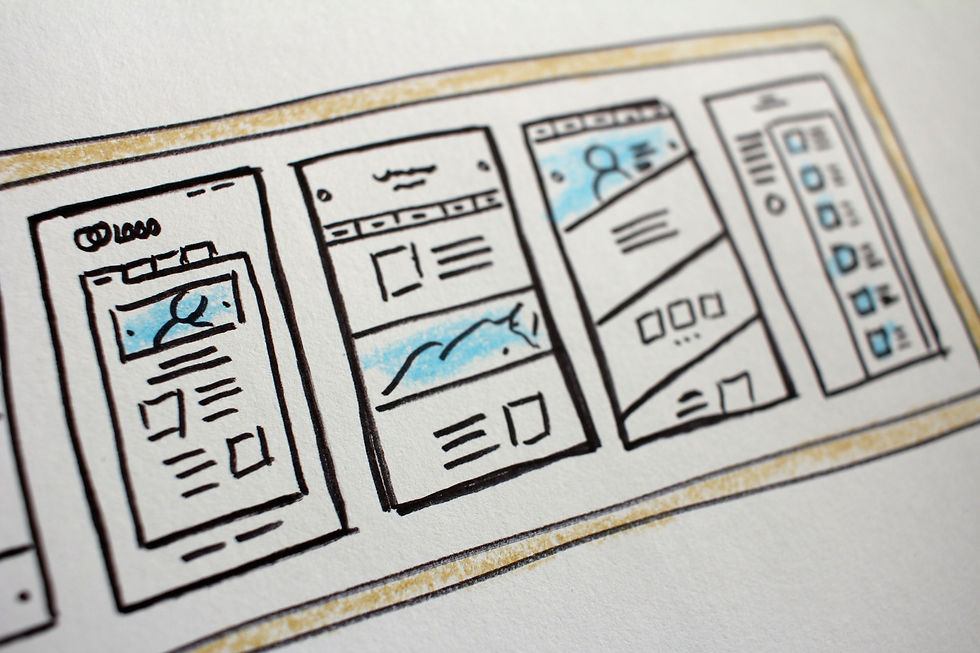
Although Perplexity is not a full visual design engine, it can still be highly effective at giving wireframe-level direction and UX critique. It can suggest that the hero should be simpler, that the value proposition needs to appear before technical detail, that testimonials should move higher, or that too many equally weighted blocks are competing for attention. These are often the exact observations a strategist or UX reviewer would make in an early audit. Getting them quickly, in context, and attached to the page-building workflow is hugely valuable for busy teams.
This kind of design guidance also pairs well with existing design systems. Instead of inventing a new visual language, the assistant can recommend how to use your current one more effectively. That is especially useful for organizations with component libraries, brand rules, or no-code builders where the main challenge is not invention but arrangement. In those contexts, better design suggestions are less about artistic fireworks and more about clearer prioritization, better rhythm, and fewer distractions.
Cost, Performance, and Governance
Perplexity ’ s pricing and rate-limit documentation makes it clear that production planning matters. Search API is billed per request, while Sonar, Sonar Pro, and Agent API have different cost structures and rate limits depending on account tier and usage pattern. That means a sensible integration should not call the most expensive or deepest option for every tiny task. Use lighter, faster patterns for simple copy improvements and reserve more grounded or research-heavy requests for high-value page work. In other words, do not bring a crane to move a chair. The smartest system matches the tool depth to the task.
Performance design matters just as much as pricing. High-throughput environments should use server-side batching, caching where appropriate, and guardrails against excessive regeneration. If the same page context is requested repeatedly, you may not need a fresh call every time. If users are exploring variants, you might prefetch a small set of alternatives once and let them cycle through those. This keeps the experience responsive without creating unnecessary cost. It also makes the tool feel more polished because users get quick, relevant results instead of staring at loading states every few seconds.
Governance is where professionalism shows. Adobe ’ s 2025 State of Customer Experience in an AI-Driven World emphasizes that quality content at speed and scale is now a customer expectation, and it includes Christopher Young ’ s observation that success requires more than adopting tools ; it requires the right structures, collaboration, and team empowerment. That applies perfectly here. The goal is not simply to bolt AI onto a CMS and declare victory. The goal is to build an operating model where suggestions are useful, reviewable, measurable, and aligned with brand standards. When that structure exists, the integration becomes an accelerator. Without it, it becomes just another clever tab people stop opening after a few weeks.
Scaling responsibly without flooding your workflow
The best way to scale is to begin with a narrow, high-value use case. Start with landing-page hero suggestions, CTA optimization, or service-page rewriting before expanding into every page type and every design module. That lets you test quality, review patterns, and actual business impact in a controlled environment. Once the process is stable, expand into broader content operations such as campaign planning, ecommerce merchandising copy, and design hierarchy suggestions across templates. This phased approach keeps the system from overwhelming editors with too many options and keeps the team focused on where value is clearest.
A phased rollout also gives you time to build internal trust. People are more likely to adopt a tool that consistently helps in one meaningful workflow than one that claims it can solve everything at once. Reliability beats theatrical ambition every time. A stable tool earns its place ; a flashy one often burns out.
Risks, limitations, and quality control
This integration is powerful, but it is not magic dust. It can produce bland suggestions if the prompt is weak, off-brand ideas if the framework is loose, and overconfident advice if review layers are absent. Grounded research helps, but it does not eliminate the need for human judgement. Design suggestions can also be directionally correct without being sufficient for implementation. A model may accurately identify that a page feels cluttered or that hierarchy is weak, but a designer still needs to apply that insight well inside the real interface. The safest mindset is to treat Perplexity as a very fast strategic assistant, not as a replacement for experienced copywriters, designers, or marketers.
Quality control should therefore be built into the workflow from the beginning. That includes structured outputs, brand constraints, approval steps, and performance tracking. It also includes a healthy skepticism toward any suggestion that sounds polished but unsupported. Strong creative operations are not built on blind trust. They are built on fast iteration, clear standards, and informed judgement. When a Perplexity integration is shaped around those principles, it can become one of the most useful creative layers inside a modern website stack. It helps teams move faster, think more clearly, and design pages that sound and feel more intentional.
This is your Feature section paragraph. Use this space to present specific credentials, benefits or special features you offer.Velo Code Solution This is your Feature section specific credentials, benefits or special features you offer. Velo Code Solution This is

Example Code


More pERPLEXITY Integrations
SEO Content Optimisation with Perplexity AI
Perplexity AI content optimisation finds content gaps and intent mismatches as editors write, so pages rank and get cited. Davydov Consulting builds it.

Intelligent FAQ Builders Powered by Perplexity AI
Build an FAQ that answers real questions with a Perplexity AI intelligent FAQ builder connected to your support data. Get an estimate from Davydov Consulting.

AppSheet Website Integration with Perplexity AI
Connect AppSheet apps and Perplexity AI to automate website workflows and answer questions from your data. Davydov Consulting builds the integration.
